Hello
The smallest useful plugin: one menu command that shows a message over the video. It is the README's Quick start as a runnable project.
What it demonstrates
The manifest · a menu command · the on-screen display.
The Tutorial teaches the same steps from an empty folder.
What you'll build
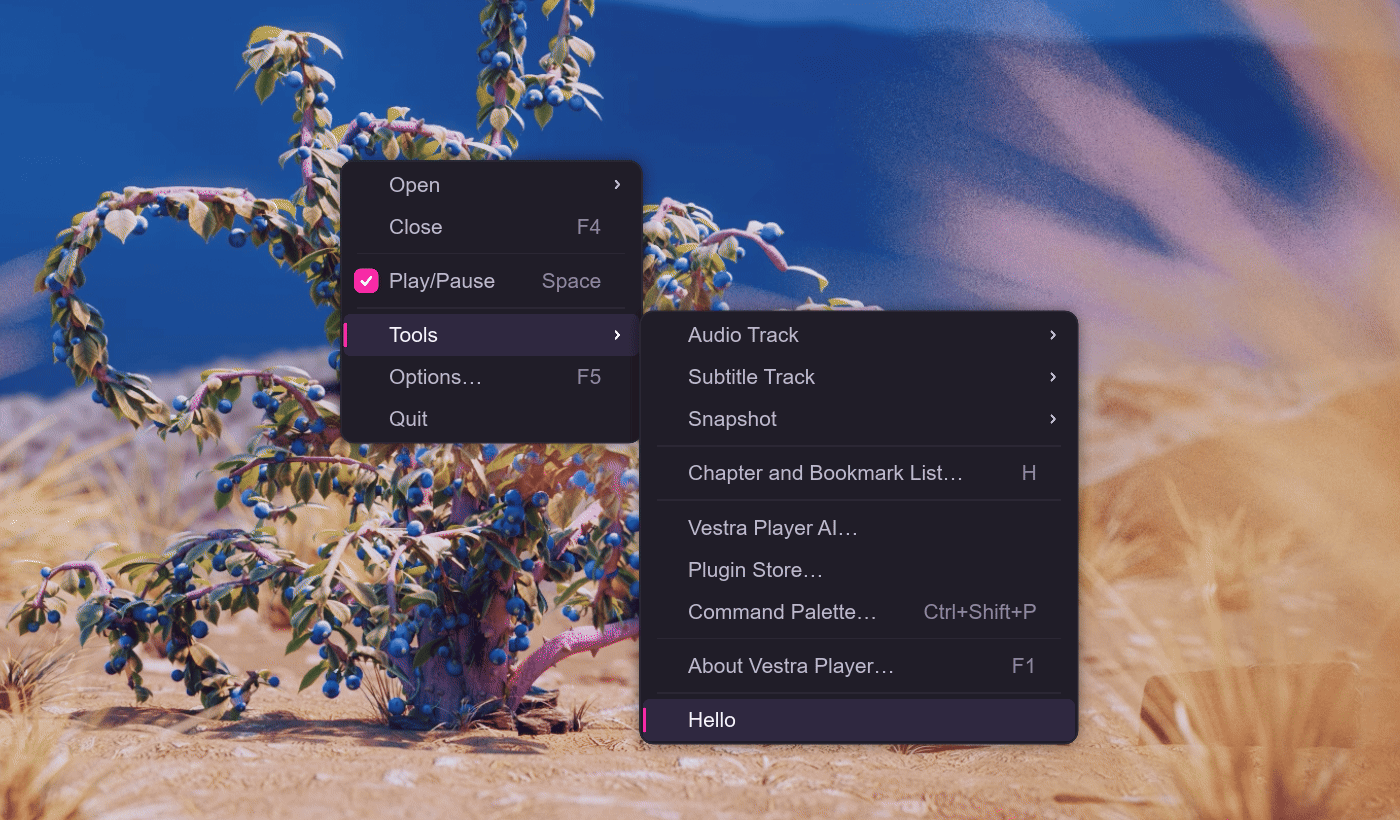
Tools ▸ Hello in the main menu. Choosing it shows "Hello" at the top left of the video for a moment.
Files
examples/hello/
manifest.json who the plugin is and what it may do
main.ts the code
tests/main.test.ts a test against the SDK's in-memory player
package.json the SDK as a dev dependency, and the scripts
The code below is pulled from these files, so it is exactly what CI builds and tests.
The manifest
{
"id": "examples.hello",
"version": "0.1.0",
"apiVersion": "vestra/1",
"entry": "main.ts",
"minPlayerVersion": "0.9.0"
}
idnames the plugin, as<owner>.<name>(your GitHub user or organization).vestra.ids are reserved for the player's built-in plugins.entryis the module the player loads: the TypeScript file itself during development.- Nothing in it says what the plugin may do: a manifest says who the plugin is.
The code
import type { Plugin } from "@vestra-player/sdk";
export default async function activate(plugin: Plugin) {
plugin.commands.add({
id: "hello",
path: ["Tools", "Hello"],
run: () => plugin.osd.show("Hello"),
});
}
From top to bottom:
import typebrings in the SDK's types only. The player creates thepluginobject, so the built plugin contains none of the SDK's code.- The default export,
activate, is what the player calls when it loads the plugin. - plugin.commands.add registers a command.
idis its name inside the plugin;pathputs it in the main menu, and the last segment is the label. runis called when the user picks the item. plugin.osd.show shows the message. Returning its promise lets the SDK report a failure instead of losing it.
Nothing needs cleaning up: the command belongs to plugin and is removed when the plugin stops.
The test
import assert from "node:assert/strict";
import test from "node:test";
import { startPlugin } from "@vestra-player/sdk/testing";
import activate from "../main.ts";
test("Tools → Hello shows an on-screen message", async () => {
const { host, stop } = await startPlugin(activate, {
directory: new URL("..", import.meta.url), // reads manifest.json
});
const hello = host.command("hello");
assert.deepEqual("path" in hello.declaration && hello.declaration.path, [
"Tools",
"Hello",
]);
await hello.run();
assert.deepEqual(host.osd, ["Hello"]);
await stop();
});
test("nothing keeps the plugin running while it is idle", async () => {
const { host, stop } = await startPlugin(activate, {
directory: new URL("..", import.meta.url),
});
await host.settle();
assert.deepEqual(host.keepsRunning, []);
await stop();
});
- startPlugin runs
activateagainst TestHost, an in-memory player.directorymakes it readmanifest.json, so the test has the plugin's real id. host.command("hello")is the registered command: itsdeclaration(here the menu path) andrun(), which acts like a click.host.osdlists every message the plugin showed.
Run it
npm ci # once, in the SDK repository root
cd examples/hello
npm install
npm run check && npm test
npm run pack # examples.hello-0.1.0.vxp
Or start the player with --plugin <path to examples/hello> to run main.ts directly, without packing.
Try next
- A shortcut. Add
bindings: ["Ctrl+Alt+H"]to the command; the key then runs it too. - A different menu. Use
path: ["@playback", "Hello"]to join the player's own Playback menu. - Go further. Open a tool window and remember its state adds a window and state; Bookmark is the next example.